Logo
Background

MLink Software, Sales Utilities and Communication Products


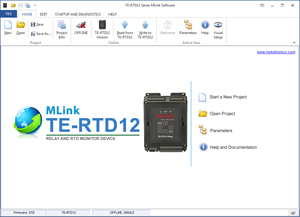
TE-RTD12 Series MLink Software

The TE-RTD12 Series MLink software allows users to program, monitor and diagnose the TE-RTD12 Motor RTD Relay

Software features include:

Bullet Parameter editing and commissioning

Bullet Parameter compare functions

Bullet Parameter settings export to popular file format (PDF, XLS, RTF, etc...)

Bullet Application Setup Wizard

Bullet Visual Programming, point and click on visual terminal strip

Bullet Monitor Panel with 4 programmable signals

Bullet Trend-recoder with 6 programmable channels, storage, triggering, playback and signal measuring mode (Avg, Min, Max, Peak)

Bullet Status and Diagnostics Panel for quick status and fault history overview

Bullet Event History and Log

Bullet Communication connection for serial, USB and Ethernet (Modbus/TCP)

Bullet Built-in comprehensive help and product user manual

Bullet Multi-drop network support for trend-recorder, monitor and diagnostics panel.

Bullet Demo modes for all interactive functions.

Bullet Built-in Automatic Software Updates

File: Zip File (14 MB)

Download


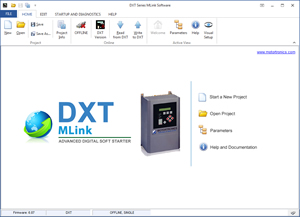
DXT Series MLink Software

The DXT Series MLink software allows users to program, monitor, diagnose and startup the DXT Advanced Digital Soft Starter.

Software features include:

Bullet Parameter editing and commissioning

Bullet Parameter compare functions

Bullet Parameter settings export to popular file format (PDF, XLS, RTF, etc...)

Bullet History log with up to 64 Events including date and time stamp

Bullet Visual Programming, point and click on visual terminal strip

Bullet Monitor Panel with 4 programmable signals

Bullet Trend-recoder with 6 programmable channels, storage, triggering, playback and signal measuring mode (Avg, Min, Max, Peak)

Bullet Status and Diagnostics Panel for quick status and fault history overview

Bullet Event History and Log

Bullet Communication connection for serial, USB and Ethernet (Modbus/TCP)

Bullet Built-in comprehensive help and product user manual

Bullet Multi-drop network support for trend-recorder, monitor and diagnostics panel.

Bullet Demo modes for all interactive functions.

Bullet Built-in Automatic Software Updates

File: Zip File (20.7 MB)

Download


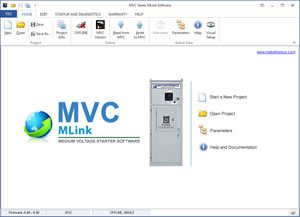
MVC Series MLink Software

The MVC Plus Series M-Link software allows users to program, monitor, diagnose and startup the MVC Plus Medium Voltage Soft Starter

Software features include:

Bullet Parameter editing and commissioning

Bullet Parameter compare functions

Bullet Parameter settings export to popular file format (PDF, XLS, RTF, etc...)

Bullet Application Setup Wizard

Bullet Visual Programming, point and click on visual terminal strip

Bullet Monitor Panel with 4 programmable signals

Bullet Trend-recoder with 6 programmable channels, storage, triggering, playback and signal measuring mode (Avg, Min, Max, Peak).

Bullet Status and Diagnostics Panel for quick status and fault history overview

Bullet Event History and Log

Bullet Communication connection for serial, USB and Ethernet (Modbus/TCP)

Bullet Built-in comprehensive help and product user manual

Bullet Multi-drop network support for trend-recorder, monitor and diagnostics panel.

Bullet Demo modes for all interactive functions.

Bullet Built-in Automatic Software Updates

VCM Screenshot VCM Screenshot

File: Zip File

Download

Installation Instructions:

Unzip file to a temporary folder then run setup.exe


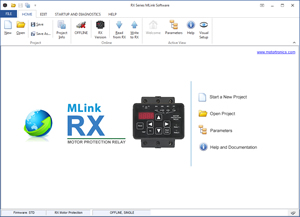
RX Series MLink Software

The RX Series M-Link software allows users to program, monitor, diagnose and startup the RX Motor Protection Relay.

Software features include:

Bullet Parameter editing and commissioning

Bullet Parameter compare functions

Bullet Parameter settings export to popular file format (PDF, XLS, RTF, etc...)

Bullet Application Setup Wizard

Bullet Visual Programming, point and click on visual terminal strip

Bullet Monitor Panel with 4 programmable signals

Bullet Trend-recoder with 6 programmable channels, storage, triggering, playback and signal measuring mode (Avg, Min, Max, Peak)

Bullet Status and Diagnostics Panel for quick status and fault history overview

Bullet Communication connection for serial and USB

Bullet Built-in comprehensive help and product user manual

Bullet Multi-drop network support for trend-recorder, monitor and diagnostics panel.

Bullet Demo modes for all interactive functions.

Bullet Built-in Automatic Software Updates

VCM Screenshot VCM Screenshot

File: Zip File

Download

Installation Instructions:

Unzip file to a temporary folder then run setup.exe


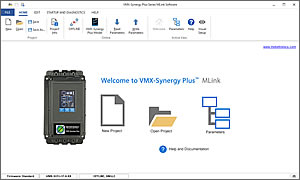
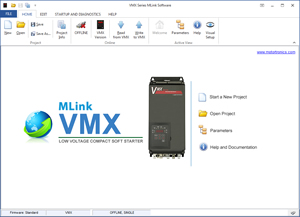
VMX Series MLink Software

The VMX Series M-Link software allows users to program, monitor, diagnose and startup a VMX Soft Starter.

Software features include:

Bullet Parameter editing and commissioning

Bullet Parameter compare functions

Bullet Parameter settings export to popular file format (PDF, XLS, RTF, etc...)

Bullet Application Setup Wizard

Bullet Visual Programming, point and click on visual terminal strip

Bullet Monitor Panel with 4 programmable signals

Bullet Trend-recoder with 6 programmable channels, storage, triggering and playback mode

Bullet Trend-recoder with 6 programmable channels, storage, triggering, playback and signal measuring mode (Avg, Min, Max, Peak)

Bullet Status and Diagnostics Panel for quick status and fault history overview

Bullet Built-in comprehensive help and product user manual

Bullet Multi-drop network support for trend-recorder, monitor and diagnostics panel.

Bullet Demo modes for all interactive functions.

Bullet Built-in Automatic Software Updates

VCM Screenshot VCM Screenshot

File: Zip File

Download

Installation Instructions:

Unzip file to a temporary folder then run setup.exe


MT Series M-Link Software

The MT Series M-Link software allows users to program, monitor, diagnose and startup a MT Series Drive.

Software features include:

Bullet Parameter editing and commissioning

Bullet Parameter compare functions

Bullet Parameter settings export to popular file format (PDF, XLS, RTF, etc...)

Bullet Application Setup Wizard

Bullet Visual Programming, point and click on visual terminal strip

Bullet Monitor Panel with 4 programmable signals

Bullet Trend-recoder with 6 programmable channels, storage, triggering and playback mode

Bullet Operator Panel for control of the drive

Bullet Status and Diagnostics Panel for quick drive status and fault history overview

Bullet PID Tuner, tune PID loop while the system is in operation

Bullet Communication connection for serial and USB

Bullet Built-in comprehensive help and product user manual

Bullet Automatic Software Update Function

Bullet Multi-drop network support for trend-recorder, monitor, operator and diagnostics panel.

Bullet Demo modes for all interactive functions.

MT Screenshot

File: Zip File

Download


Energy Savings Software for Fan and Pumping Applications

Energy Estimation Software for Fan and Pumping Applications. This program estimates energy savings achieved when using a variable frequency drive instead of conventional control methods for fan and pumping applications. The results can be viewed in graphical format and text format and the software has built-in functions to generate an energy estimation report especially designed for consultants.

Software features include:

Bullet Estimate energy savings for fan and pump applications up to 5000HP

Bullet 5 Easy steps to complete your estimation

Bullet Customer information option (prepare report directly for your customer)

Bullet Company incentive function

Bullet Adjustable efficiency for all standard control methods

Bullet 2 fully customizable additional control methods (title, efficiency, duty cycle)

Bullet Fully customizable estimation report, custom letterhead and company information

Bullet Multiple export formats (XLS, RTF, PDF, TXT, HTML etc..)

Bullet Formulas page, contains industry formulas with automatic calculation


VCMSOFT

File: Zip File

Download


Installation Instructions:

Unzip file to a temporary folder then run setup.exe


VCM Series M-Link Software

The VCM Series M-Link software allows users to program, monitor, diagnose and startup a VCM Series Drive.

Software features include:

Bullet Parameter editing and commissioning

Bullet Parameter compare functions

Bullet Parameter settings export to popular file format (PDF, XLS, RTF, etc...)

Bullet Application Setup Wizard

Bullet Visual Programming, point and click on visual terminal strip

Bullet Monitor Panel with 3 programmable signals

Bullet Trend-recoder with 6 programmable channels, storage, triggering and playback mode

Bullet Operator Panel for control of the drive

Bullet Status and Diagnostics Panel for quick drive status and fault history overview

Bullet PID Tuner, tune PID loop while the system is in operation

Bullet Communication connection for serial and USB

Bullet Built-in comprehensive help and product user manual

Bullet Automatic Software Update Function

Bullet Multi-drop network support for trend-recorder, monitor, operator and diagnostics panel.

Bullet Demo modes for all interactive functions.

VCM Screenshot

File: Zip File

Download

Installation Instructions:

Unzip file to a temporary folder then run setup.exe


Communication Gateway and Real-time Web-based SCADA System

VirtualSCADA VS1-MT for Motortronics Soft Starters, AC Drives and Motor Protection Relays gives users web-based access to their system using a standard internet web-browser. Standard built-in features include data-logging, alarm handling, monitoring and control. VirtualSCADA VS1-MT can be configured in just a matter of minutes and is compatible with any 3rd party device that supports MODBUS RTU over RS232/RS485 or MODBUS/TCP over Ethernet.

Turn key and Ready to Use

All VirtualSCADA VS1-MT modules come preloaded with our Soft Starter, AC Drive and Motor Protection Relay templates and are ready for immediate use, so no additional setup or programming is required.

Part Number: VS1-MT

Click here for more information

BulletDownload Brochure (PDF, 489 KB)

BulletDownload User Manual (PDF, 2.25 MB)


Ethernet Modbus/TCP Communication Gateway

VirtualSCADA VS2-MT for Motortronics Soft Starters, AC Drives and Motor Protection Relays gives users the ability to connect a Modbus/TCP master (e.g. PLC system) to one or more Motortronics Soft Starters, Motor Protection Relays or Motortronics AC Drives. The transparent VirtualSCADA VS2 gateway will act as a Modbus/TCP slave on an Ethernet network, transform the queries to the Serial Modbus network and send back the response to the Modbus/TCP master. The VirtualSCADA VS2 can be setup in a matter of minutes.Turn key and Ready to Use

No additional setup or programming is required.

Part Number: VS2-MT

Click here for more information

BulletDownload Brochure (PDF, 492KB)

BulletDownload User Manual (PDF, 918 KB)